


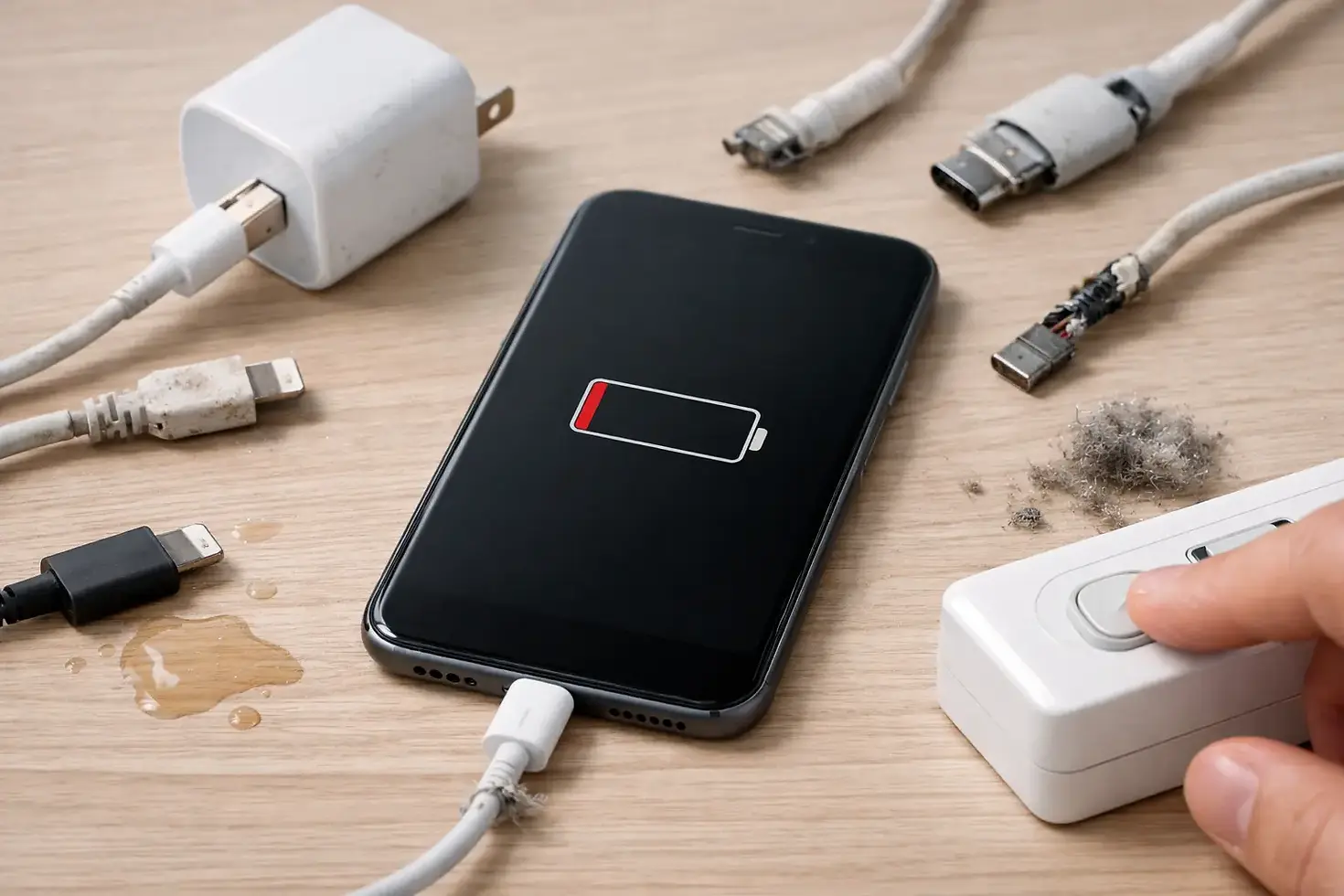
8 Top Causes of iPhone Charging Failure
- iBrokeit.es

- May 22
- 6 min read
Your iPhone is on 3 per cent, the cable is in, and nothing happens. That moment is exactly why people search for the top causes of iPhone charging failure - because when charging stops, everything stops with it. Maps, banking, boarding passes, work calls, WhatsApp, school runs, bookings - gone the second the battery dies.
The good news is that charging failure is often caused by a small number of common faults. The bad news is that guessing wrong can waste time, money, and sometimes make the damage worse. Some issues are simple. Others look simple but point to a failing battery, liquid damage, or a damaged charging circuit that needs proper repair.
Top causes of iPhone charging failure
Most charging problems come down to one of three areas - the charger setup, the charging port, or the phone's internal hardware. The trick is working out which one you are dealing with before you force cables, buy random accessories, or assume the battery is finished.
1. Dirt packed into the charging port
This is one of the most common causes, especially if your iPhone lives in a pocket, handbag, car cup holder, beach bag, or travel case. Dust, lint, sand, and compacted debris can build up inside the Lightning port so the cable no longer sits properly. The charger may feel connected, but the pins are not making a clean contact.
A typical sign is when the cable only charges at a certain angle, slips out too easily, or stops charging with the slightest movement. In some cases the phone may connect and disconnect repeatedly.
This sounds minor, but it depends on how long it has been ignored. A basic clean may solve it. If debris has been pressed in hard over time, the internal pins can bend or break. That turns a cleaning job into a charging port repair.
2. A damaged or poor-quality cable
Not every cable is built to the same standard. Cheap replacements often fail early, charge slowly, or trigger inconsistent charging. Even Apple cables and quality alternatives wear out eventually, particularly near the connector ends where the wire bends most.
If your iPhone charges with one cable but not another, the cable is the obvious suspect. If it starts and stops while you move it, that is another strong clue. The issue can also appear after travelling, where cables get crushed in luggage or pulled out quickly in cars, cafés, and airports.
This is one of the easier faults to test, but there is a catch. A bad cable can mask a bad port, and a damaged port can ruin a good cable over time. If you have already tried a known working lead and the problem remains, move on quickly rather than buying accessories blindly.
3. Faulty plug, adapter, or power source
People often blame the phone first, but the charging head or power source can be the real problem. A weak wall adapter, failing extension lead, damaged USB socket, or unreliable car charger can all interrupt charging.
Wireless charging can confuse things further. If MagSafe or Qi charging works but the cable does not, that usually points towards the port or cable. If nothing works, the issue may be deeper - or you may simply have a dead adapter and a flat battery at the same time.
Start with the obvious. Try a different socket. Try a different adapter. Avoid charging from unstable sources like worn car ports or tired public USB points. They are convenient, but not always consistent.
4. Battery health has dropped too far
Battery wear is another major entry on any honest list of the top causes of iPhone charging failure. All iPhone batteries degrade. Over time they hold less power, struggle with heat, and become less stable under load. In advanced cases, the battery may charge very slowly, jump percentages, switch off unexpectedly, or refuse to charge past a certain point.
A worn battery does not always mean the phone is beyond saving. In fact, battery replacement is often one of the most cost-effective repairs available. The key is not to ignore the warning signs for months. Once a battery is heavily degraded, it can put extra strain on performance and create charging behaviour that feels random when it is not.
If your iPhone is several years old and still on its original battery, this becomes far more likely. That is especially true for users who rely on fast charging, heavy app use, mobile hotspots, navigation, and constant daily top-ups.
5. Liquid damage and corrosion
Water damage does not always look dramatic. A phone does not need to be dropped in a pool to develop charging faults. Steam in bathrooms, drink spills, rain, sea air, damp bags, and pocket sweat can all affect internal components over time.
Sometimes the iPhone will show a liquid detection warning and block charging temporarily. That is the best-case scenario because the phone is at least protecting itself. Worse cases involve corrosion inside the charging port or on the board, where charging becomes intermittent or stops altogether.
This is where DIY can go badly wrong. If liquid has reached internal components, pushing power through the phone repeatedly can increase the damage. Rice will not fix corrosion. Time matters here, and proper diagnostics matter even more.
6. The charging port itself is physically damaged
A charging port can fail through wear alone, but physical damage is extremely common. Forcing the cable in the wrong way, using the phone while charging in bed, pressure from dropping it while plugged in, or repeated strain in the car can loosen or damage the port assembly.
The symptoms overlap with dirt build-up - loose fit, awkward angles, unreliable charging - which is why misdiagnosis happens all the time. The difference is that a damaged port usually will not improve after a careful clean or a cable swap.
This is not a fault to leave for later. A damaged port can get worse quickly, and once charging becomes unpredictable, the phone becomes a liability. If you use your device for work, travel, bookings, or business, unreliable charging is not a small issue.
7. Software faults and system glitches
Not every charging problem is hardware. Occasionally, iOS bugs, failed updates, overheating protection, or background software issues can interrupt charging or make the battery percentage behave oddly.
This is less common than port or battery trouble, but it does happen. The phone may appear not to charge when it is actually charging slowly, paused due to temperature management, or reporting battery status incorrectly. Restarting the device, updating iOS, and checking battery settings can help rule this out.
Still, software is often blamed too quickly because it feels like the easy answer. If the cable is loose, the port is dirty, or the battery is worn out, no update will fix that.
8. Internal board-level damage
This is the serious end of the scale. If the charging port, battery, cable, and adapter all check out, the fault may sit on the logic board or charging circuit. This can happen after drops, power surges, previous poor-quality repairs, overheating, or liquid exposure.
Board-level faults often produce confusing symptoms. The iPhone may show the charging symbol but gain no percentage. It may only charge when switched off. It may drain faster than it charges. In some cases it appears completely dead when the real problem is that power is not being managed properly inside the device.
This is where proper diagnostics save money. Replacing the battery or port without confirming the real fault can turn one repair into three.
When to stop testing and get it checked
A few simple checks make sense. Try a known good cable and adapter. Inspect the port for visible debris. Test another power socket. Restart the phone. If you still have no reliable charging after that, stop experimenting.
The risk with charging faults is that different problems can look almost identical. A dirty port, worn battery, water-damaged connector, and board fault can all present as intermittent charging. Without hands-on testing, it is easy to treat the symptom and miss the cause.
That is why fast diagnostics matter. If your iPhone is essential for work, travel, or daily life around the Costa del Sol, waiting days without a clear answer makes no sense. A proper inspection can tell you whether you need a simple clean, a battery replacement, a charging port repair, or something more advanced.
What usually gets the best result
The best result comes from acting early. Charging issues rarely fix themselves, and they usually get more inconvenient at the worst possible time - in the car, at the airport, before a payment, during a booking, or when you are trying to get home.
If the problem is minor, great. If it is not, the right repair is still usually far cheaper than replacing the whole phone. That is exactly why many people choose a specialist repair rather than gambling on another cable and hoping for the best. Businesses such as iBrokeit focus on quick diagnostics and fast turnaround because most customers do not have time to be without their iPhone.
If your phone only charges when held at an angle, keeps disconnecting, or has stopped charging completely, treat that as a warning, not an inconvenience. The sooner you identify the real fault, the sooner your iPhone gets back to doing its job.


